Login
Arketic AI opens in your web browser. To get in, you need the email address your organization's administrator registered you with, and your password. You choose that password yourself the first time you sign in.
There is no public sign-up page. Accounts are always created for you by an administrator.
Before you sign in
Make sure you have:
| You need | Where it comes from |
|---|---|
| The Arketic AI web address | Your administrator |
| Your email address | The address your administrator registered you with |
| Your password | You choose it yourself. The first time, you set it with the activation code your administrator gives you — see First sign-in below |
Don't have an account yet? There is no sign-up option on the login screen. Reach out to your administrator directly by email or your usual internal channel and ask to be invited.
First sign-in: activate your account
When your administrator invites you, your account is created without a password. You receive a 6-digit activation code instead — your administrator passes it on to you, and it may also arrive by email. You use it once, to choose your own password.
- Open Arketic AI in your browser.
- Under the Sign In button, click Forgot your password?.
- Click I already have a code from my administrator.
- Fill in Email Address, type the activation code in Recovery Code, and choose your password in New Password and Confirm New Password.
- Click Set new password.
You are taken back to the login form with the message "Your password has been updated. Please sign in with your new password." Sign in with your email address and the password you just chose. Your account is now active.
An activation code can be used once and is valid for a limited time. If yours has expired or you've lost it, ask your administrator to issue a new one.
The fields on this card are explained in Forgot your password? below.
The sign-in screen
The screen shows a single white card with the Arketic logo at the top and two fields.
| Field | What to enter | Notes |
|---|---|---|
| Email Address | Your work email address | The placeholder shows the expected format, example@email.com |
| Password | Your password | Hidden as dots by default. Use the eye icon on the right of the field to show or hide what you typed |
Below the fields is the Sign In button, and under it the Forgot your password? link.
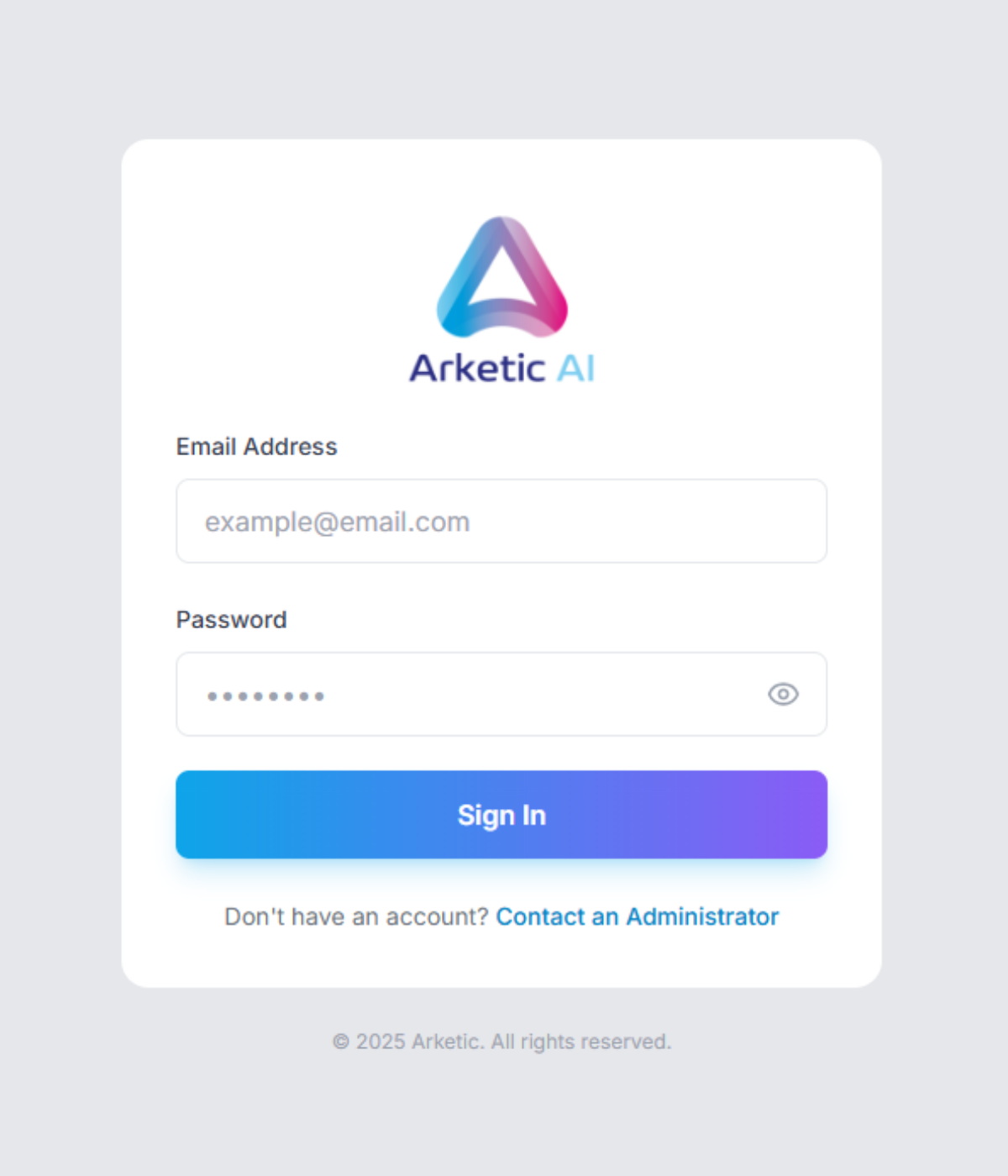
Tap the eye icon before signing in to double-check your password. It switches between Show password and Hide password, so you can confirm what you typed without retyping it.
:::note The language of this screen The sign-in screen has no language switch. It appears in the interface language that was last used in the browser you are on — English in a browser where nobody has signed in before. Once you are signed in, Arketic switches to the language saved on your account; you can change it under Settings → Language (see Account Settings). :::
Signing in
- Open Arketic AI in your browser.
- Type your address in Email Address.
- Type your password in Password.
- Click Sign In.
While your details are being checked, the button shows a spinner and the text Signing in.... When the check succeeds, you are taken straight into the platform.
Passwords are at least 10 characters long and include an uppercase letter, a lowercase letter, a number, and a special character. The same rule applies whenever you choose or change a password.
Where you land after signing in
Everyone — team members, department managers, executives and administrators — lands on the Chat screen, ready to start a new conversation. If you opened a link to a specific page before signing in, you are taken to that page instead, as long as you have access to it.
From there, the sidebar on the left is your way around the platform.
If your account has no access yet, the main area shows "You don't have access to any features yet" — see Account & Access.
Next steps:
- First Steps — start your first chat and find your way around
- Interface Overview — what every part of the screen does
Messages you might see
If sign-in doesn't work, a red banner appears at the top of the card with one of these messages.
| Message | What it means | What to do |
|---|---|---|
| "Invalid email or password. Please try again." | The address or password doesn't match | Retype both carefully, watching for caps lock and extra spaces |
| "Your account is not active. Please contact your administrator." | Your account exists but isn't switched on | Ask your administrator to activate it |
| "Your organization account has been suspended. Please contact support." | Your whole organization's access is paused | Contact support through your administrator |
| "Too many failed login attempts. Security verification required." | Several attempts have failed in a row | Answer the security question that appears (see below) |
| "Wrong answer. Please try again." | The security question answer was incorrect | A fresh question appears — answer the new one |
| "Your account has been temporarily locked." | Too many failed attempts | Wait for the countdown to finish (see below) |
| "Please answer the math question." | You pressed Sign In with the answer box empty | Fill in the answer box, then click Sign In |
| "Cannot connect to server. Please check your connection." | Your browser couldn't reach Arketic AI | Check your internet connection, then try again |
Security verification
After 3 failed attempts, an amber panel appears with the note "Security verification: Answer the question below."
You'll see a short math question next to a small answer box:
- Read the question shown in the grey box.
- Type the numeric answer in the box beside it.
- Enter your email and password as usual, then click Sign In.
Each question can be used once. If you get it wrong, a new question is loaded automatically — answer the new one. While a question is being prepared, the panel shows "Loading security question...".
Clicking Sign In without filling in the answer box shows "Please answer the math question." — the sign-in is not sent until the box has an answer.
Account lockout
To protect your account, Arketic AI pauses sign-in attempts after repeated failures:
| Failed attempts | Your account is locked for |
|---|---|
| 5 | 10 minutes |
| 10 | 30 minutes |
While your account is locked:
- A red panel appears with the heading "Your account is locked" and a live countdown, "Try again in M:SS".
- The button changes to a lock icon with the word Locked and cannot be clicked.
When the countdown reaches zero, the button becomes available again and you can retry.
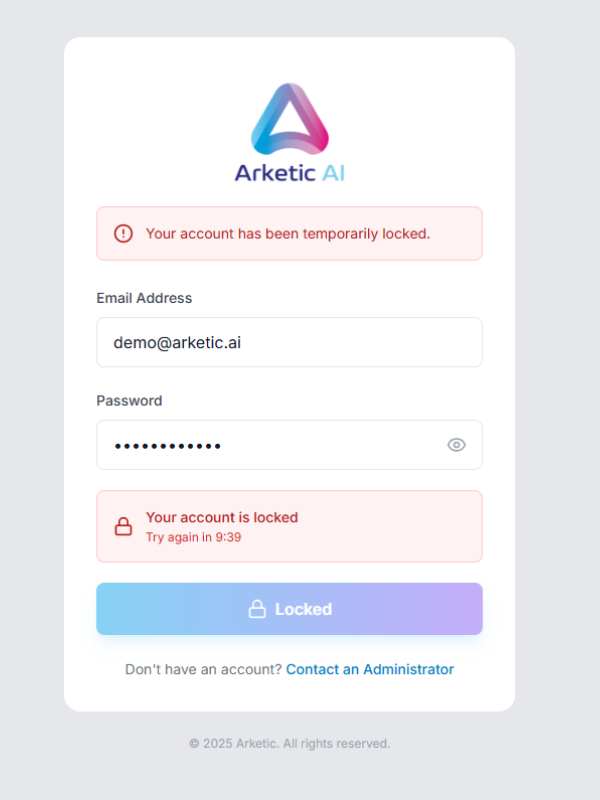
Rather than guessing and risking a lockout, use Forgot your password? after two or three failed tries.
Forgot your password?
You can set a new password yourself, straight from the login screen. Click Forgot your password? under the Sign In button. The sign-in card is replaced by a recovery card; Back to sign in at the top of it returns you to the login form at any time.
To set a new password you need a 6-digit recovery code. There are two ways to get one.
Get a code by email
- On the Reset your password card, type your address in Email Address. If you already typed it on the login form, it is filled in for you.
- Click Send recovery code.
- The card changes to Enter your recovery code and shows "If that address has an account, a recovery code is on its way. It is valid for 60 minutes."
- Open the email and continue with Enter the code and choose a new password below.
You see the same message whether or not the address belongs to an account — this keeps the screen from revealing who has one. If no email arrives within a few minutes, check your spam folder and the address you typed, then ask your administrator for a code instead.
Get a code from your administrator
If you can't reach your mailbox, or the email never arrives, ask your administrator for a recovery code. They read it out to you or send it to you.
On the Reset your password card, next to No email access?, click I already have a code from my administrator. This takes you straight to the code step without sending an email.
A code from your administrator stays valid for a short time only. Have the login screen open and be ready to type the code when you ask for it.
Enter the code and choose a new password
| Field | What to enter |
|---|---|
| Email Address | The address of your account |
| Recovery Code | The 6-digit code. The field accepts digits only |
| New Password | Your new password. The password rule is printed under the field |
| Confirm New Password | The same password again |
The eye icon in New Password shows or hides both password fields at once.
Click Set new password. You return to the login form with a green message — "Your password has been updated. Please sign in with your new password." — and your email address already filled in. Type the new password and click Sign In.
If something goes wrong, a red banner on the card tells you why:
| Message | What it means | What to do |
|---|---|---|
| "The recovery code is 6 digits." | The code you typed is too short | Type all six digits |
| "That password does not meet the requirements listed below." | The new password is too weak | Follow the rule printed under New Password |
| "The two passwords do not match." | New Password and Confirm New Password differ | Retype both |
| "That code is not valid, or it has expired. Request a new one below." | The code is wrong, already used, or too old | Click Request a new one at the bottom of the card, or ask your administrator for a code |
| "Too many attempts. Please wait a few minutes and try again." | Too many tries in a short time | Wait a few minutes before trying again |
| "The service is temporarily unavailable. Please try again shortly." | Arketic AI couldn't process the request right now | Try again shortly |
| "Cannot connect to the server. Please check your connection." | Your browser couldn't reach Arketic AI | Check your internet connection, then try again |
At the bottom of the card, Code not working? offers Request a new one, which takes you back to the email step.
There is no "Remember me" option. Sign in with your email and password each time your session ends.
Signing out
To end your session, click your user card at the bottom of the sidebar and choose Sign Out. You are returned to this login screen, and your view of the platform is cleared.
See Interface Overview for more about the user card.
Troubleshooting
| Problem | Solution |
|---|---|
| Forgot my password | Click Forgot your password? on the login screen and set a new one with a recovery code — see Forgot your password? |
| The recovery email never arrives | Check your spam folder and the address you typed. If it still doesn't come, ask your administrator for a code and use I already have a code from my administrator |
| My activation or recovery code is rejected | Codes work once and expire. Request a new one from the recovery card, or ask your administrator to issue a new code |
| No account yet | Contact your administrator; there is no self-service sign-up |
| Account locked | Wait for the on-screen countdown to finish, then try again |
| Being asked a math question | You've had several failed attempts — answer the question shown, along with your email and password |
| "Your account is not active." | Ask your administrator to activate your account |
| "Your organization account has been suspended." | Contact support through your administrator |
| The screen is in the wrong language | It uses the language last used in that browser. Sign in, then set yours under Settings → Language |
| Can't reach the login page at all | Check your internet connection, then confirm the web address with your administrator |
| Password is rejected as too short or too weak | Passwords must be at least 10 characters, with an uppercase letter, a lowercase letter, a number, and a special character |